
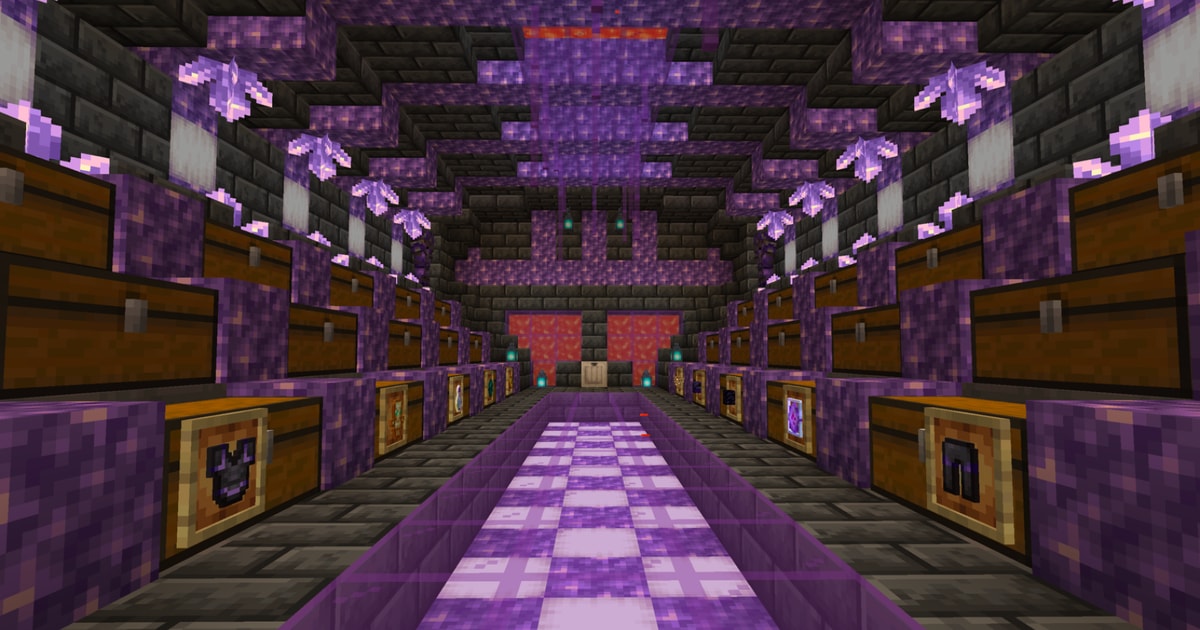
3D PREVIEW
Click to load the interactive 3D viewer. Downloads textures (~20MB) on first use.
Stash
AMETHYST STASH AND REGEAR
by Alistair Tomori•Credits: Alistair Tomori
0DOWNLOADS
0VIEWS
0LIKES
DESCRIPTION
Cheap to build and compact amethyst stash with a pop-up regear. The regear automatically refills from the armour storage, but you will have to add the inventory and hotbar shulkers to the two barrels you see. The left barrel is for the hotbar, and the right barrel is for the inventory. The middle barrel can be for anything you like, I usually just keep totems in it. See more
SIZE
19 x 21 x 34
HOW TO USE
- Install the Litematica mod for Minecraft (Fabric).
- Download the schematic file using the button above.
- Place the file in your
.minecraft/schematicsfolder. - In-game, open Litematica's menu (default
M), load the schematic, and place it where you want to build. - Gather the resources from the AH cost list and start placing blocks!
Litematica is a third-party mod by masady - we are not affiliated with or endorsed by them.