
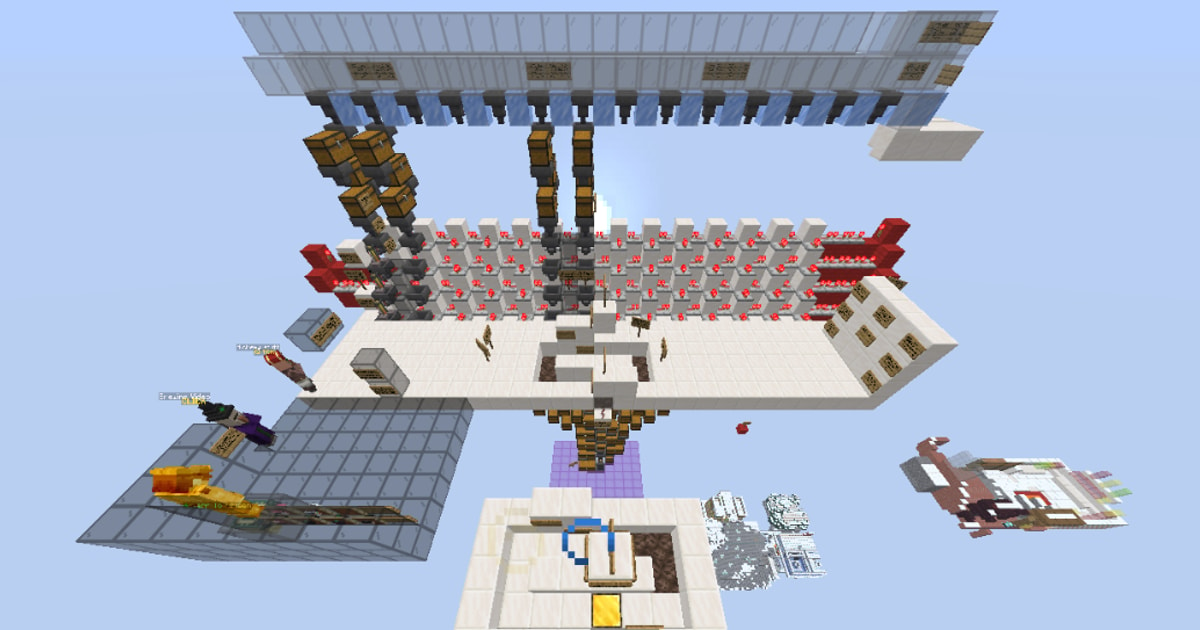
3D PREVIEW
Click to load the interactive 3D viewer. Downloads textures (~20MB) on first use.
AUTOBREWING HYPIXEL 26.1.2+ READ THE SIGNS
by Sobrecoxa•Credits: Sobrecoxa
DESCRIPTION
The autobrewer is mostly the same as v2, but I changed the AFK pool design and cleaned up the schematic to make it easier to build. Pro tip ~Don't use boots with the Depth Strider enchant while in the AFK pool. ~Get a Rezar Abicase + /Call Alchemist than buy water bottles ~Read all the signs in the schematic build ~When private island unloaded, instead of removing the items of the brewing stand hold shift and click any item, ill count as if u remove the brewing item and place again (does not work with all items) ~Brewing absorption 8 potion (Enchanted Gold Block & Enchanted Glowstone Block) ~Use all skills exp super-boost 20% than "remove" (apply all skills 10%) when hit lv 100 or 25.3m pet xp ~Lock a slot of one of the potions then hold shift and spam left click it sells them all https://www.youtube.com/watch?v=um9ti3jVc4I&t=112s See less See more
SIZE
15 x 34 x 38
HOW TO USE
- Install the Litematica mod for Minecraft (Fabric).
- Download the schematic file using the button above.
- Place the file in your
.minecraft/schematicsfolder. - In-game, open Litematica's menu (default
M), load the schematic, and place it where you want to build. - Gather the resources from the AH cost list and start placing blocks!
Litematica is a third-party mod by masady - we are not affiliated with or endorsed by them.